
 [code]smith
 Proof
ProofOverview
Theuseblacksmith/checkout action is a drop-in replacement for actions/checkout that caches git repositories on Blacksmith’s sticky disks. Instead of cloning your entire repository from GitHub on every workflow run, the action maintains a persistent git mirror that is updated incrementally, only fetching new commits and refs since the last run.
Why use this
Large repositories that are slow to clone. If your repo is multiple gigabytes andgit clone adds minutes to the start of every job, checkout caching cuts that time down by keeping a local mirror on the runner. After the first run, only new commits are fetched, turning a multi-minute clone into a sub-second operation.
Fewer failures from intermittent GitHub outages. Every object you pull from GitHub is a chance for a transient network error or rate limit to stall your pipeline. Caching the repository locally and only fetching the delta on each run means fewer objects transferred, and fewer chances for something to go wrong.
Usage
Swapactions/checkout for useblacksmith/checkout. All existing inputs work the same. The only additions are dissociate and verbose.
The dissociate option
By default, the workspace references objects from the mirror via git alternates. This is fast, but means the checkout depends on the mirror mount being accessible. If you’re running Docker-based actions that won’t have access to the mount, set dissociate: true to copy objects into the workspace:
How it works
Git checkout caching uses sticky disks to persist a bare git mirror across workflow runs. The checkout process has three phases:-
First run (hydration): The action creates a full
git clone --mirrorof your repository on a sticky disk. This initial clone takes the same time as a regular clone, but it only happens once. -
Incremental updates: On subsequent runs, the mirror is updated with
git fetch --pruneto pull only new refs and objects. The workspace checkout then uses git’s alternates mechanism to reference objects from the mirror without copying them, so checkout time stays flat no matter how big the repo gets. -
Concurrent job handling: If a hydration is still in progress when another job starts, the action automatically falls back to a standard
actions/checkoutclone. Once the mirror is ready, all subsequent jobs use it.
Colocated Git proxy
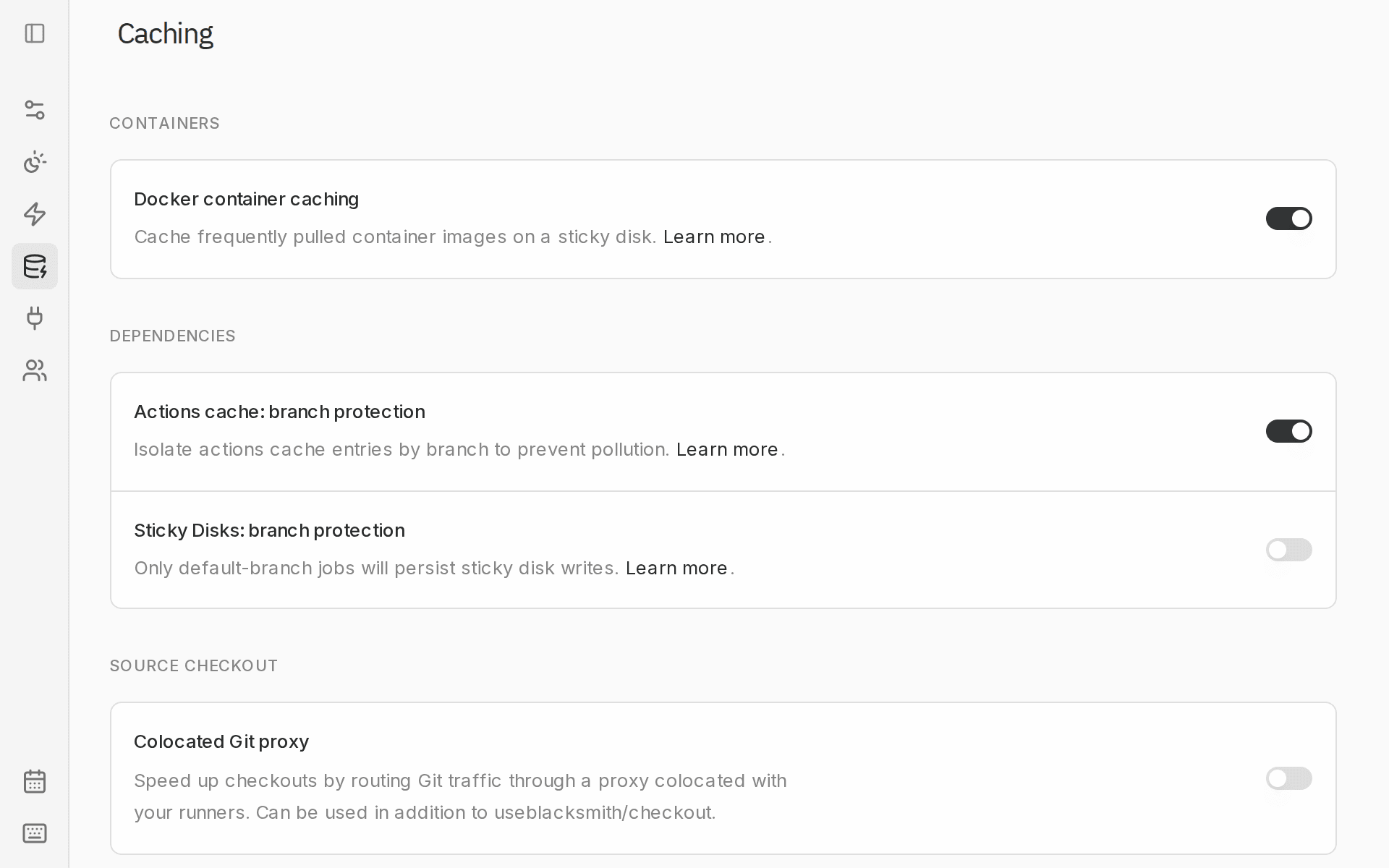
Blacksmith can also route Git traffic through a proxy colocated with your runners, which speeds up checkouts by serving Git data from inside the same facility. It works alongsideuseblacksmith/checkout and requires no workflow changes. An organization admin can enable it from Settings > Caching: find Colocated Git proxy under Source checkout.
You can read about how this was built here.
Monitoring usage
You can see storage usage for your git mirror sticky disk on the Sticky Disks page in the Blacksmith dashboard.Pricing
Git checkout caching is powered by sticky disks and charged at $0.50/GB/mo. For details, see our pricing page.FAQ
What is the eviction policy?
What is the eviction policy?
Git mirror caches are stored on sticky disks and are automatically evicted after 7 days of inactivity. Each time a workflow uses the cached mirror, the “last used” timestamp resets. As long as your workflows run at least once within 7 days, the mirror stays available.
Does this work with shallow clones?
Does this work with shallow clones?
Yes. The mirror always stores a complete clone, but your workspace respects the
fetch-depth input. Git’s alternates mechanism lets a shallow workspace reference objects from the full mirror without downloading them again.Does garbage collection run during checkout?
Does garbage collection run during checkout?
No. Garbage collection (
git gc --prune=now) runs in the post-job cleanup phase, after all your workflow steps have completed. This keeps checkout fast and avoids impacting your build.